
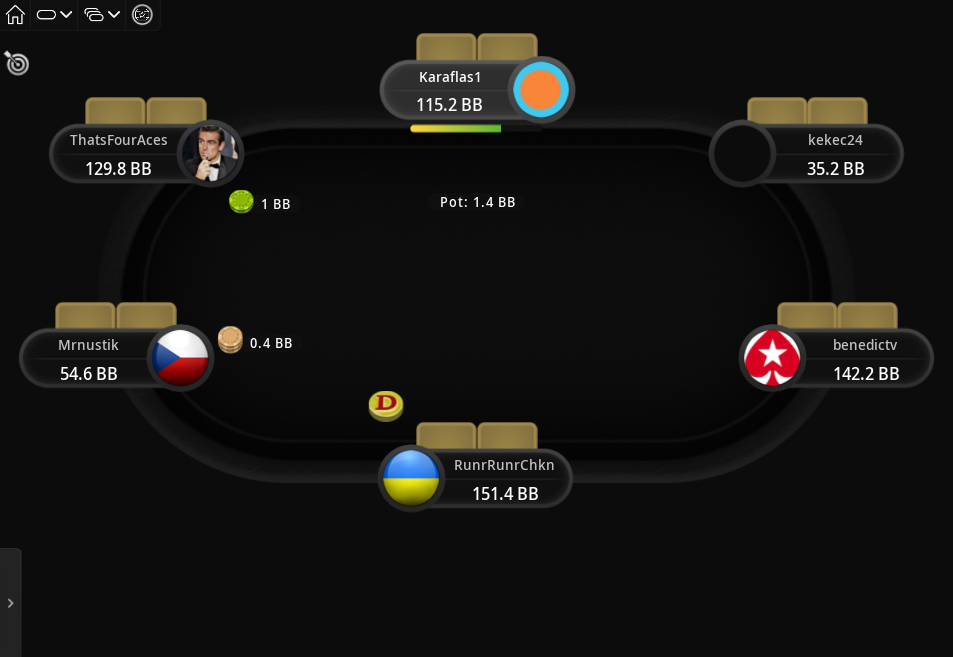
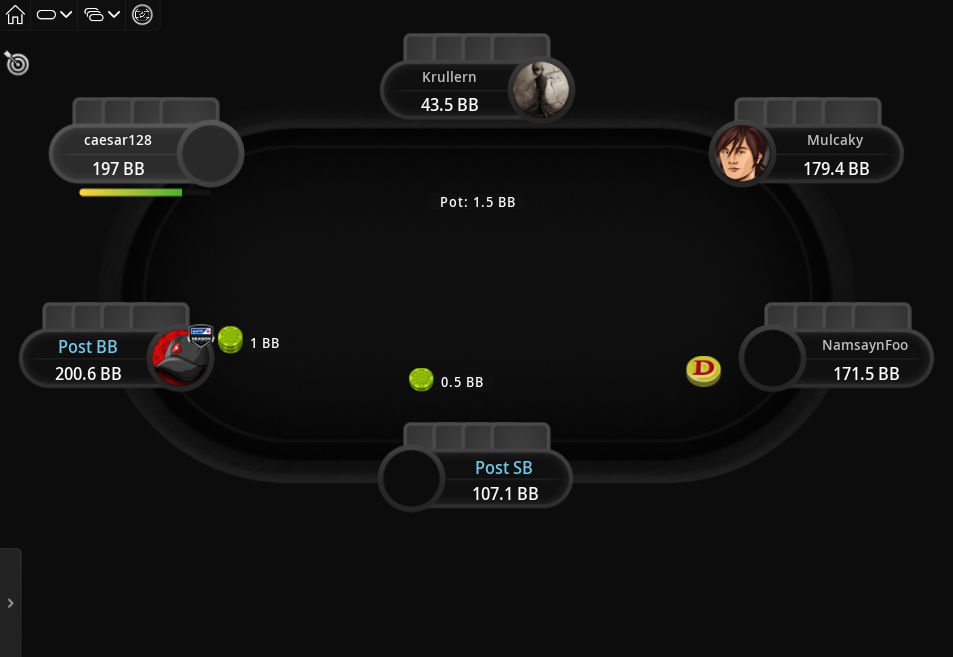
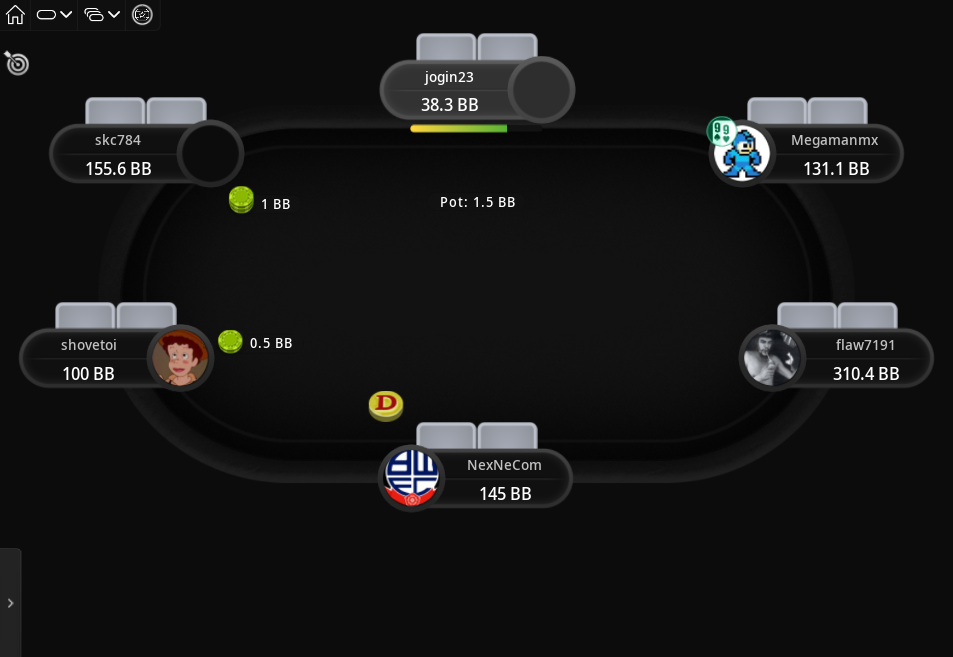
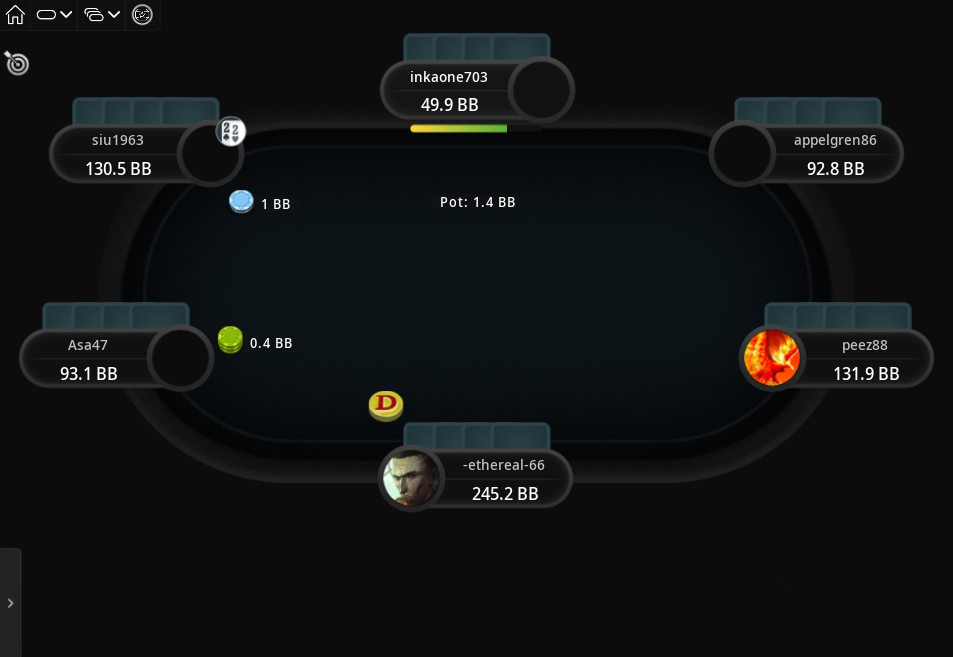
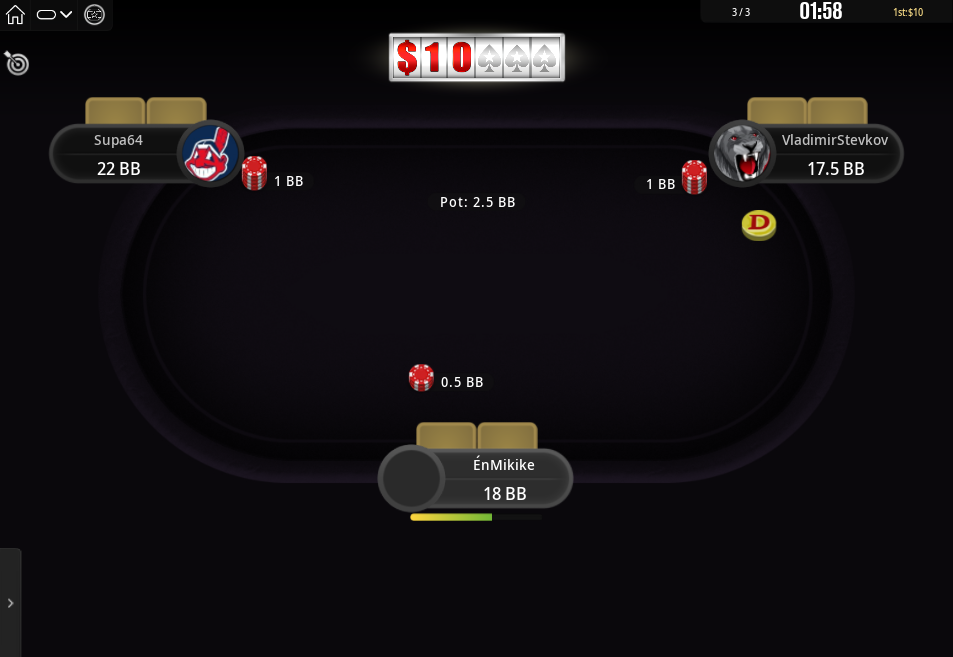
Midnight Theme for PokerStars
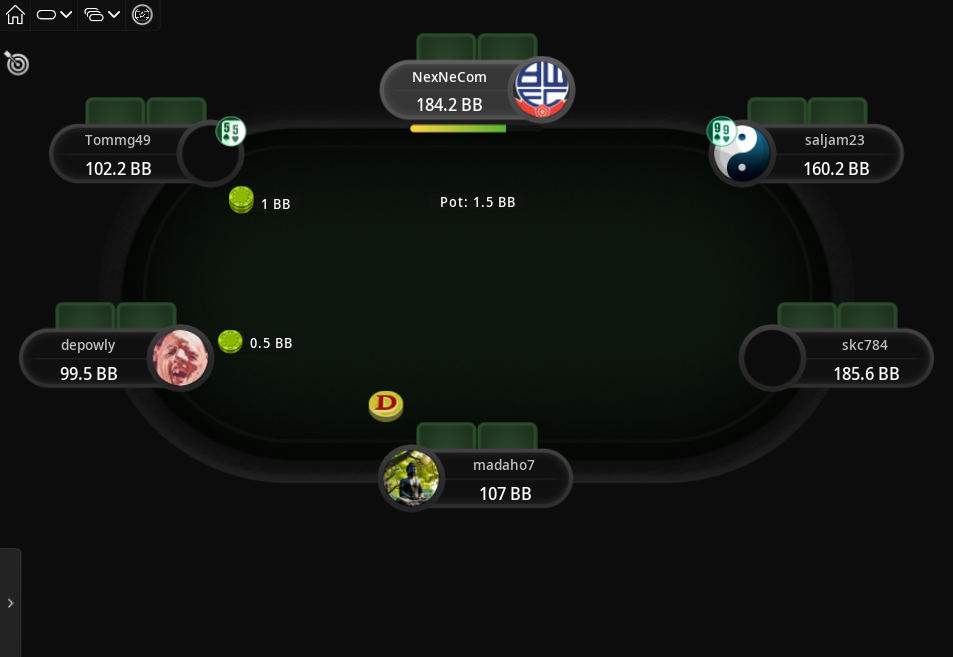
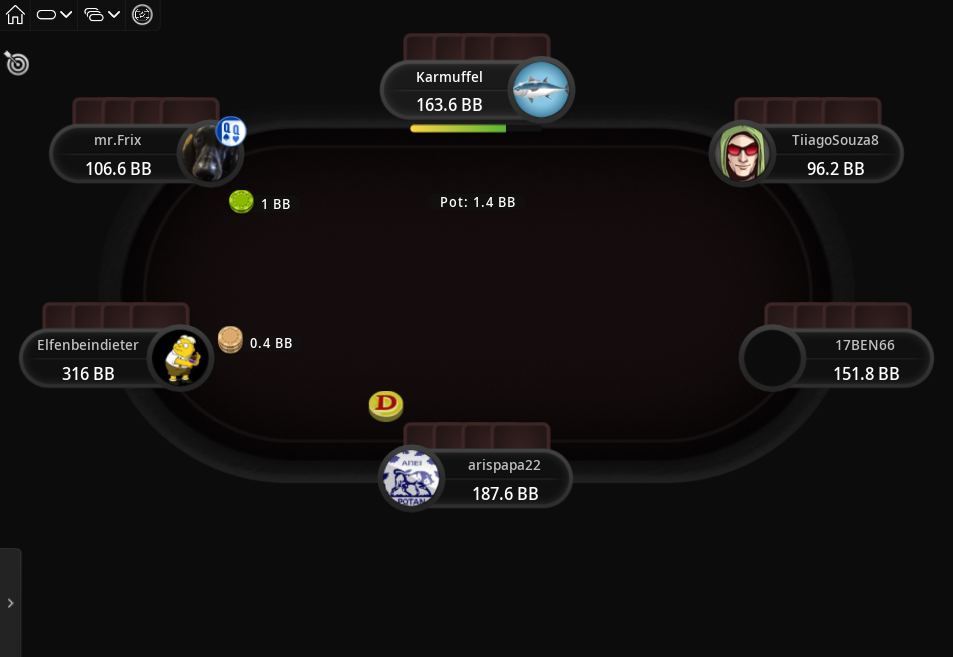
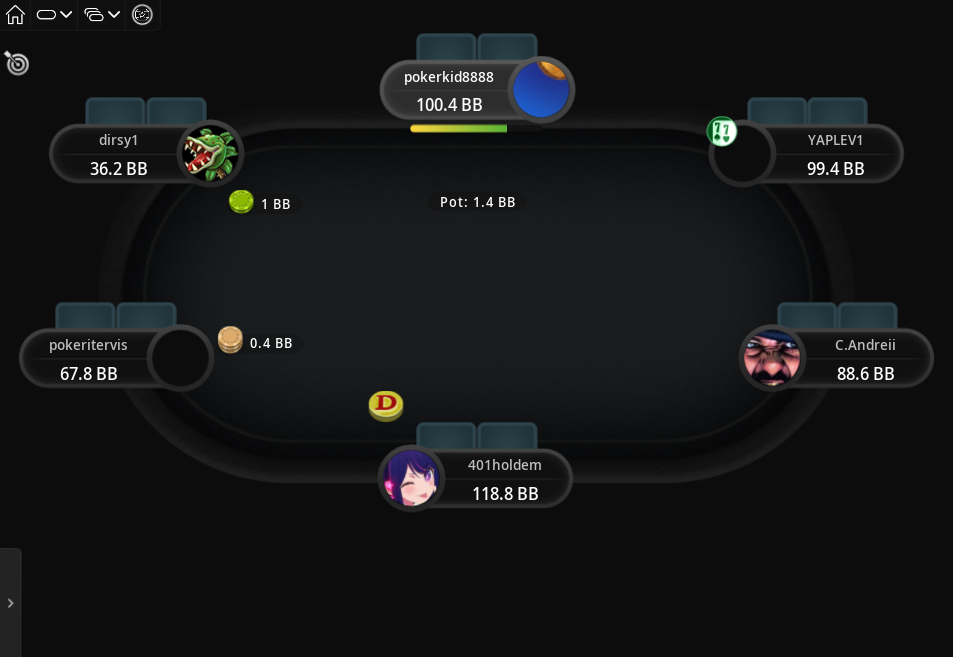
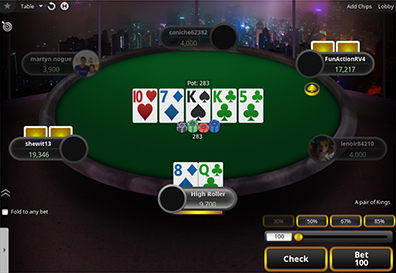
This table theme is perfect for those late night sessions, or just for autumn/winter time when it’s dark and cloudy outside.
The theme uses a dark background colour and the included felt colours are also rather dark. This will be easier on your eyes, especially during times, when everything around you tends to be darker as well.
It also comes with six new card backs, where there are darker and brighter options, so you can choose the ones that suit you the best.
If you tend to play more during late hours, or you just prefer darker themes in general, then definitely check out the Midnight Theme for Pokerstars.
Price: €14.99
added to your cart!
have been added to your cart!
Features
- New table
- 7 dark felt colours
- Dark background
- Player seats
- 6 card backs
- Dealer button
- Chips
- New sounds
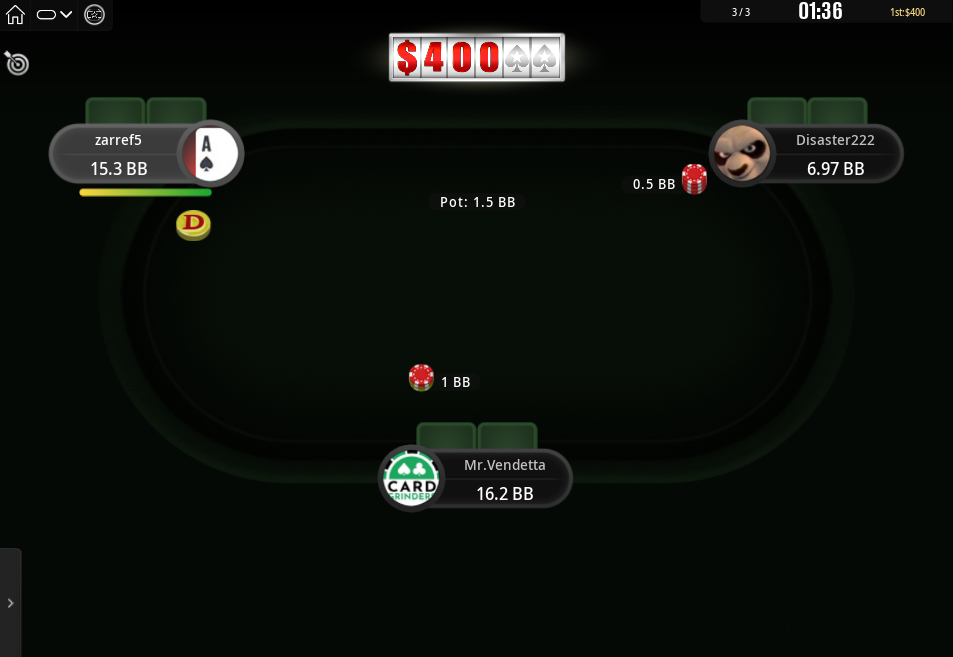
- Works on Spin&Go tables
- Spin&Go: can make all backgrounds the same colour, regardless of the multiplier
- Easy installation with auto-installer (instructions included)
- Works only on Windows
- 1 year of free updates
Theme updated on 26 September 2026
How To Buy
- Click “Buy Now“.
- Go to checkout page.
- Choose the payment method you would like to use.
- To pay with your PayPal account, choose PayPal.
- To pay with a credit/debit card, also choose PayPal.
- To pay with BTC, or few other cryptos, choose Crypto.
- Now enter your email and name, if you have a discount code, then enter that too.
- Click on “Purchase“.
- If you chose PayPal as a payment method, you will be taken to PayPal, where you can make the payment.
- To pay with a credit/debit card, click on the “Pay with Debit or Credit Card” button (or if this button doesn’t exist, then on “Create An Account”) on Paypal page, then fill in your card details and click “Agree & Pay”
- If you chose Crypto, then you will be taken to Coinbase Commerce, where you can make the payment.
- After the payment is done you will be redirected to a download page, where you can download your file(s) and you will also receive a purchase receipt on your email with the download link(s) (check your spam folder if you can’t find it and mark it as “Not spam”, if it did end up in there).
For other frequently asked questions, check out the FAQ page.
Full Tilt Clone
GGPoker Theme
Nord Theme
GTO V.2

High Roller
Hyper-Simple
The Zone

Classic Theme
GTO Theme
